App Comparisons
Tinybeans alternative: Tinybeans vs Kiddings for a private family journal
Tinybeans or Kiddings? Compare private family sharing, story capture, organization, keepsakes and current pricing to find the right memory app.
Is your priority sharing the photos—or preserving the story behind them?
By Kiddings • Facts checked September 18, 2026
Disclosure: Kiddings wrote this comparison. It is based on public Tinybeans and Kiddings product information checked September 18, 2026. Features and prices can change; verify current details before deciding.
Methodology: We compared official public information about capture, family sharing, organization, keepsake output, and advertised pricing. We did not use private accounts, paid plans, sponsored placements, or invented keyword-volume data.
Tinybeans and Kiddings both give family memories a home away from a public social feed. They diverge on what that home is mainly for.
Tinybeans is a private family photo-sharing journal with reactions, comments, email updates, a calendar view, milestones, and photobooks. Kiddings is a structured childhood-story journal: Quotes, Questions, Moments, and Milestones are first-class entries tied to a child, age, and date. Supporting media can be added, but the story remains the center.
Put simply: Tinybeans is strongest when the audience is part of the daily experience. Kiddings is strongest when the story itself is the unit you want to keep.
The short answer
Choose Tinybeans if your primary job is keeping an extended family circle updated with photos and videos, particularly if email updates and an interactive family feed matter.
Choose Kiddings if you want a quieter record of what your child said, asked, did, and learned, organized by story type and the child's exact age. Search, filters, tags, favorites, and combined or per-child timelines help you find and curate those stories later.
Both can involve family. Only one needs to turn every memory into a small family broadcast. Sometimes the quote about the dog being “emotionally damp” just belongs in the archive.
What this comparison covers
- The main difference
- Where Tinybeans is strongest
- Where Kiddings differs
- Feature comparison
- Pricing
- Who should choose which
- Frequently asked questions
The main difference
Tinybeans describes itself as a journal, visual diary, and time capsule for saving and privately sharing family memories. Invited relatives can view, react, and comment, including through email updates. Its calendar view makes a family's posting history easy to browse by day.
Kiddings treats each item as a childhood story. A parent chooses Quote, Question, Moment, or Milestone and assigns the relevant child. Entries can be backdated, Kiddings calculates the child's exact age at the time, and photos, video, or a voice note can support the written account.
That makes Tinybeans closer to a private family network, while Kiddings is closer to a structured family archive. There is overlap, but the center of gravity is different.
Where Tinybeans is strongest
Tinybeans is designed to keep relatives in the loop. Its official site highlights daily updates, reactions, comments, and email notifications—a useful combination when grandparents want to follow along but would rather not become unpaid technical support for another app.
Its other public strengths include:
- Private, invite-only photo and video sharing
- A calendar-centered journal
- Milestone capture
- Reactions and comments from family
- Email updates for relatives
- Photobooks and calendars through its photo store
- A long-established iOS and Android presence
If the social interaction around a photo is part of the memory, Tinybeans has an advantage. A grandparent's comment can sit beside the moment instead of becoming message number 6,842 in a family chat.
Where Kiddings differs
Kiddings is less feed-oriented. Its four story types preserve context that a photo cannot carry by itself: the exact wording, the child's question, the family joke, the ordinary habit, or the meaningful first. The child and exact age remain attached to the entry.
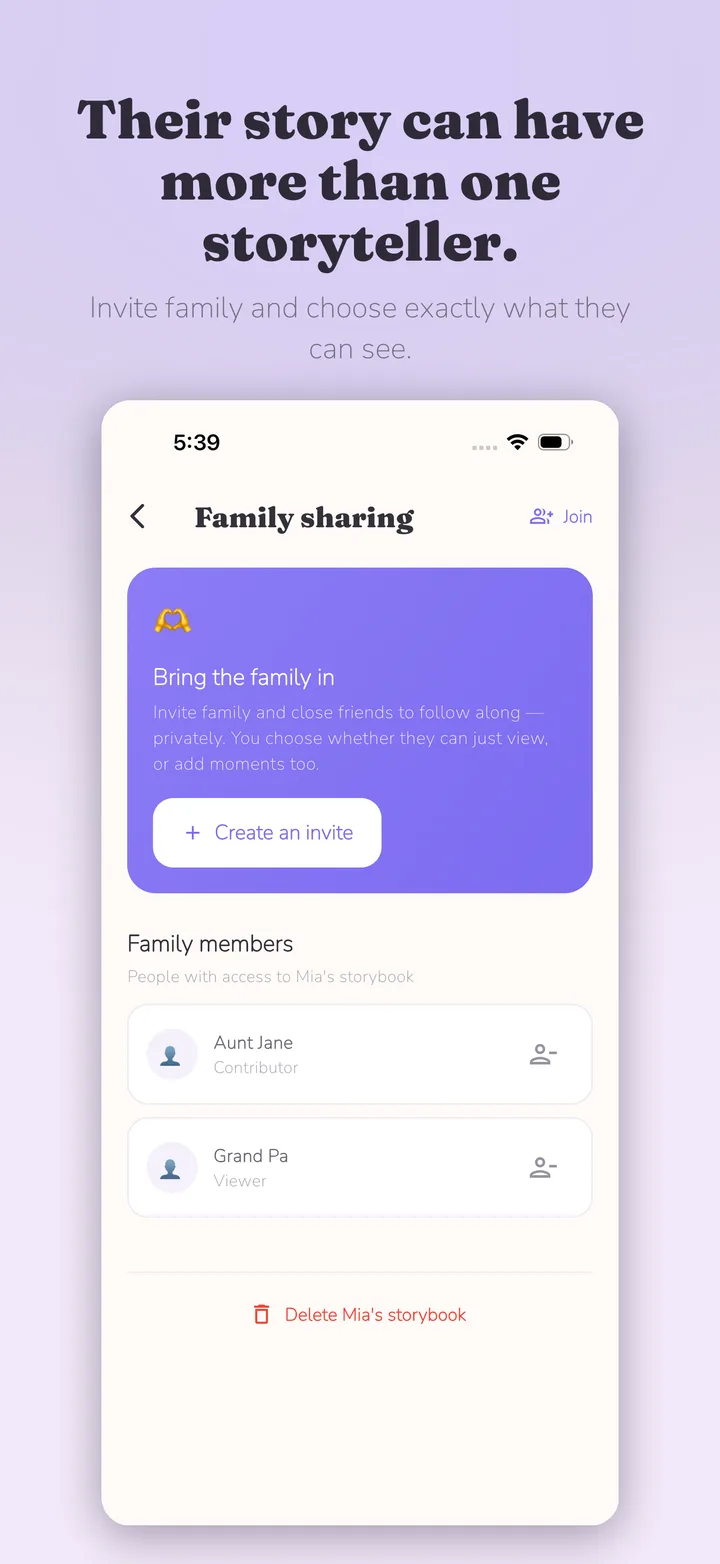
Search, filters, favorites, and tags make it easier to retrieve or curate entries later. Multiple child profiles support combined and per-child views, and backdating accommodates older stories. Parents can invite selected family members as viewers or contributors without creating a public feed; invited members see only entries explicitly marked Fam.
For a keepsake, parents can select memories and export a print-ready PDF. They can use an online printer or a neighborhood print shop and choose the paper, format, quantity, and timing themselves. That flexibility can affect cost, but it is not guaranteed to be cheaper: price and quality vary by printer, region, format, paper, binding, and shipping. Kiddings does not order or ship the finished book.
Tinybeans vs Kiddings feature comparison
| Decision point | Tinybeans | Kiddings |
|---|---|---|
| Main experience | Private family photo-sharing journal | Structured childhood-story journal |
| Story structure | Captions and milestones around shared photos/videos | Four first-class entries: Quotes, Questions, Moments, and Milestones |
| Family interaction | Reactions, comments, and email updates | Invite selected members as viewers or contributors; they see only entries marked Fam |
| Organization | Calendar and journal | Child and exact-age context, backdating, combined/per-child timelines, search, filters, tags, favorites |
| Supporting media | Photos and video | Optional photos, video, and voice notes attached to the story |
| Keepsake output | Photobooks and calendars sold in-app in supported markets | Selected memories exported as a print-ready PDF for independent printing |
| Public social feed | Private sharing rather than public posting | No public feed |
| Current app cost | Free access plus Tinybeans+ subscription | Free and ad-free |
Tinybeans facts are from its official website, Google Play listing, and photo-store announcement.
Pricing checked September 18, 2026
Tinybeans was publicly presented as a free app with a Tinybeans+ subscription. The public comparison page on Tinybeans listed Tinybeans+ at US$7.99 per month or US$74.99 per year, with 200 GB of storage and unlimited monthly uploads. Subscription prices and entitlements may differ by region, tax, app store, or promotion, so confirm the in-app purchase screen.
Photobooks and calendars are separate physical products, with availability, shipping, and prices depending on destination.
Kiddings was free and ad-free. Its keepsake output is a print-ready PDF, not an in-app physical product order.
Which one should you choose?
Choose Tinybeans if
- Sharing frequent photo and video updates is the main job.
- Family reactions and comments add value for you.
- Grandparent-friendly email updates are important.
- You like browsing a calendar of family posts.
- You want to order photobooks or calendars from the same service.
Choose Kiddings if
- You want Quotes, Questions, Moments, and Milestones to remain first-class stories.
- You want each story connected to the child, exact age, and original date.
- You expect to search, filter, tag, favorite, or curate memories later.
- You want to export a selected keepsake and choose the printer and format yourself.
- You want selected family participation without making interaction the center of the archive.
Who should not switch
Tinybeans users whose relatives actively comment, react, and depend on email digests should not switch casually. That family habit is a feature in its own right, and moving software does not automatically move Grandma's Tuesday-morning routine.
Kiddings users who mainly want a searchable story archive should not move to a photo-first sharing service expecting identical quote, tag, voice, and curation behavior.
There is no verified automatic migration between Tinybeans and Kiddings. Before changing anything, preserve original media, check Tinybeans export options, and test a few entries manually.
Frequently asked questions
Is Kiddings a Tinybeans alternative?
Yes, for private family memory keeping, but the emphasis differs. Tinybeans centers photo sharing and family interaction. Kiddings centers structured story capture and retrieval.
Is Tinybeans free?
Tinybeans offers free access and a paid Tinybeans+ plan. Limits and subscription features can change by platform and region; check the current store listing and purchase screen.
Can grandparents use Kiddings?
Selected family members can be invited with viewer or contributor permissions, and they see only entries marked Fam. Tinybeans may suit families that specifically want email updates, reactions, and comments around frequent posts.
Can Kiddings make a printed photobook?
Kiddings lets parents export selected memories as a print-ready PDF, then choose an online printer or neighborhood shop. It does not order or ship a physical book. Tinybeans sells photobooks and calendars through its service in supported markets. Independent printing offers more control, but cost and quality vary.
Can I automatically transfer Tinybeans memories into Kiddings?
Kiddings does not claim an automatic Tinybeans importer. Confirm how to export or download your Tinybeans content before leaving, and keep originals outside either app.
Decide by naming the job
If the sentence is “I need the grandparents to see today's photos,” Tinybeans is built around that task.
If the sentence is “I need to remember why this photo mattered,” Kiddings may fit better.
To try the second approach, download Kiddings and save one story with the detail the camera missed. For more help, read how to share childhood memories with family privately and the best way to preserve a child's voice recordings.

Start with one moment today.
Kiddings is a private, ad-free storybook for your child’s words and little moments.