Memory Keeping
Digital Baby Book vs Paper Baby Book: Which Is Right for Your Family?
Disclosure: This article was written by Kiddings, a digital app for preserving childhood stories. We have an obvious seat at this table, so this is a format comparison—not independent product testing. Paper books have real strengths, and the right answer may be paper, digital, or both.
All named families, child quotes, and domestic scenes in this article are illustrative and fictional.
Compare digital and paper baby books for quick capture, keepsakes, sharing, privacy, cost, and printing—and decide whether a hybrid approach fits.
The short answer: choose a digital baby book if quick capture, editing, search, family access, and adding photos, video, or voice matter most. Choose a paper baby book if you want handwriting, tucked-in mementos, and a keepsake that can be opened without a screen. Choose a hybrid approach if you want the easier capture of digital and a physical book worth leaving on the coffee table.
There is no morally superior baby book, only the one your family will use. A linen-bound book cannot preserve a story that never makes it past “I’ll write that down later.” Digital has its own failure mode: 4,000 photos and no note explaining why the vacuum was “the floor dragon.” The format should serve the stories, not become another household project.
What counts as a digital baby book?
A digital baby book is a phone, tablet, or web-based place for keeping a child’s memories in an organized form. Depending on the tool, an entry might include text, photos, video, or voice. Some tools focus on milestones and prompts; others resemble journals, timelines, or photo books.
A photo folder is storage, not necessarily a baby book. A baby book adds who, what, age, and why the moment still matters.
Kiddings, for example, organizes childhood stories as Quotes, Questions, Moments, and Milestones, with child and age context. Photos, video, and voice support the story rather than replace it. That is one approach, not the definition of the category.
What counts as a paper baby book?
A paper baby book can be a guided fill-in book, blank journal, scrapbook, binder, or professionally printed photo book. A guided book reduces the blank-page problem. A journal offers freedom. A scrapbook holds drawings, invitations, and the mysterious leaf your child insisted was essential documentation. A printed photo book is polished but usually needs a separate design and ordering step.
Here, “paper baby book” means a physical book you write in, assemble, or have printed as the primary keepsake.
Digital baby book vs paper baby book at a glance
| What matters | Digital baby book | Paper baby book | Hybrid approach |
|---|---|---|---|
| Capturing a moment quickly | Usually easier when your phone is nearby | Requires the book, a pen, and a usable surface | Capture digitally now; select for print later |
| Editing and backdating | Entries can generally be corrected or added later, depending on the tool | Handwritten edits may be visible; late additions need spare space | Maintain the complete record digitally and curate the physical edition |
| Story context | Can combine text, dates, age, and supporting media | Excellent for handwriting and longer reflections | Keep searchable context digitally; add personal notes in print |
| Photos, video, and voice | Can keep multiple media types, depending on the app | Holds printed photos and flat mementos; no playable media | Print key images while retaining original media files |
| Search and retrieval | Search, filters, or tags may make details easier to find | Browsing is slower but can feel more deliberate | Search digitally, browse physically |
| Sharing with family | Remote access may be possible, subject to permissions | Best shared in person unless copied or mailed | Share selected items digitally and keep a family book |
| Physical experience | Requires a device unless exported or printed | Tangible, giftable, and screen-free | Offers both |
| Risk | Depends on provider access, exports, backups, and account care | Vulnerable to loss, water, fire, fading, and physical wear | Two formats can reduce reliance on either one alone |
| Cost | May involve an app fee, subscription, storage, or export cost; models vary | Book, printing, supplies, and replacement materials vary | Can cost more overall, but lets you choose what deserves print |
| Keeping up with more than one child | Profiles and timelines may help, depending on the tool | Usually needs separate books or a carefully planned shared one | One digital capture habit, then separate or shared printed books |
1. Which format is easier to keep up with?
Digital usually wins on speed. Your phone is already present for the breakfast negotiation and the question about whether fish have knees. Recording two sentences can take less effort than locating a physical book.
Paper has more ceremony. That can be a drawback on a Tuesday at 7:42 a.m., but it can also be the point. Sitting down with a pen may help you slow down and write more fully. Some parents love the ritual. Others discover that the baby book lives safely in a drawer, protected from both damage and updates.
Ask yourself a practical question: Where are you when the memories happen, and what can you realistically reach?
If most stories occur away from your desk, digital is likely easier. If you already journal at night, paper may fit naturally. Do not choose for the imaginary you who owns matching stationery and never loses a pen.
2. Which is better when you have fallen behind?
Digital books tend to be more forgiving. You can often backdate an entry, revise wording, add a photo, and place the memory in the correct part of a timeline. Paper books can accept late entries too, but printed prompts and fixed page counts sometimes turn chronology into a small engineering problem.
Digital does not fill itself. The advantage is flexibility, not automation.
If you are months—or years—behind, do not attempt a complete reconstruction. Start with five anchors: a repeated phrase, a surprising question, an ordinary scene, a change, and a milestone. Add older memories when a photo or conversation brings them back.
Our guide to catching up on a baby book when you’re behind offers a low-pressure way to rebuild the record without turning your camera roll into an archaeological site.
3. Which preserves more than photos?
Both can, but they encourage different memories. Paper preserves handwriting, drawings, pressed flowers, ticket stubs, and evidence that a tiny person once believed stickers belonged everywhere. A note also carries the way your writing changed or the coffee mark from an ambitious morning.
Digital can preserve sounds and movement alongside the written story. A short video can show the dance. A voice recording can keep the pronunciation. Text can explain that the performance happened because someone heard the washing machine spin cycle and took it as a personal invitation.
The question is whether you save enough context to make the media meaningful. “IMG_4821” is not a story. “At age four, Maya wore her rain boots indoors for a week because she was ‘ready for weather’” is.
4. Which makes memories easier to find?
A well-organized digital baby book is usually easier to search. A tool may let you search words, filter by child, browse a timeline, mark favorites, or use tags. This helps when you remember half a sentence but not the year.
Paper relies on structure and memory. A chronological book, index, tabs, or separate volumes can help. Browsing is slower, but that slowness can be pleasurable. You may open the book looking for a birthday and spend twenty minutes reading about the month your child would only answer to “Captain.”
Search is best for finding. Paper is excellent for stumbling across. If retrieval matters, test whether the digital tool can find an entry by child, date, age, type, or keyword and whether it can export your entries. For paper, leave a few index pages at the front or use dated sections.
5. Which is better for sharing with family?
A paper book is intimate. Passing it across a sofa invites different attention from sending a link and keeps the audience small.
Digital sharing works better across distance. Controls vary, so check who can see entries and whether relatives can view only or also contribute. Do not assume “family app” means everyone sees everything.
In Kiddings, parents can invite selected family members to contribute or give view-only access to selected entries. That can suit a grandparent who wants to see a particular story without opening the whole family archive.
Whichever format you choose, decide what belongs in the child’s record and what should remain private. A funny bath story may delight close family now and mortify its subject later. Childhood memories concern a real person, not an unusually charming content category.
6. Which is safer for long-term keeping?
Neither format is invincible.
A paper book needs no password, update, or company to remain online. It can still be lost, damaged, faded, or handled enthusiastically by a younger sibling with a marker. A digital book avoids some physical risks, but access can depend on your account, device, provider, exports, and backups. A service can change over time. A forgotten password is not a preservation strategy.
For digital tools, check whether exports include story text and useful dates, whether you can access them beyond one device, where a second copy will live, and whether the privacy and family controls are understandable.
For paper, consider photographing or scanning completed pages. For digital, export periodically and keep a copy you control. Redundancy is not glamorous, but neither is explaining that the first year was on a phone that met the bath.
7. Which costs less?
There is no honest universal answer.
A paper book might involve the book, photo printing, supplies, and professional production. A digital book might be free, paid once, subscription-based, or charge for storage, exports, or printed products. Models can change, so check current terms.
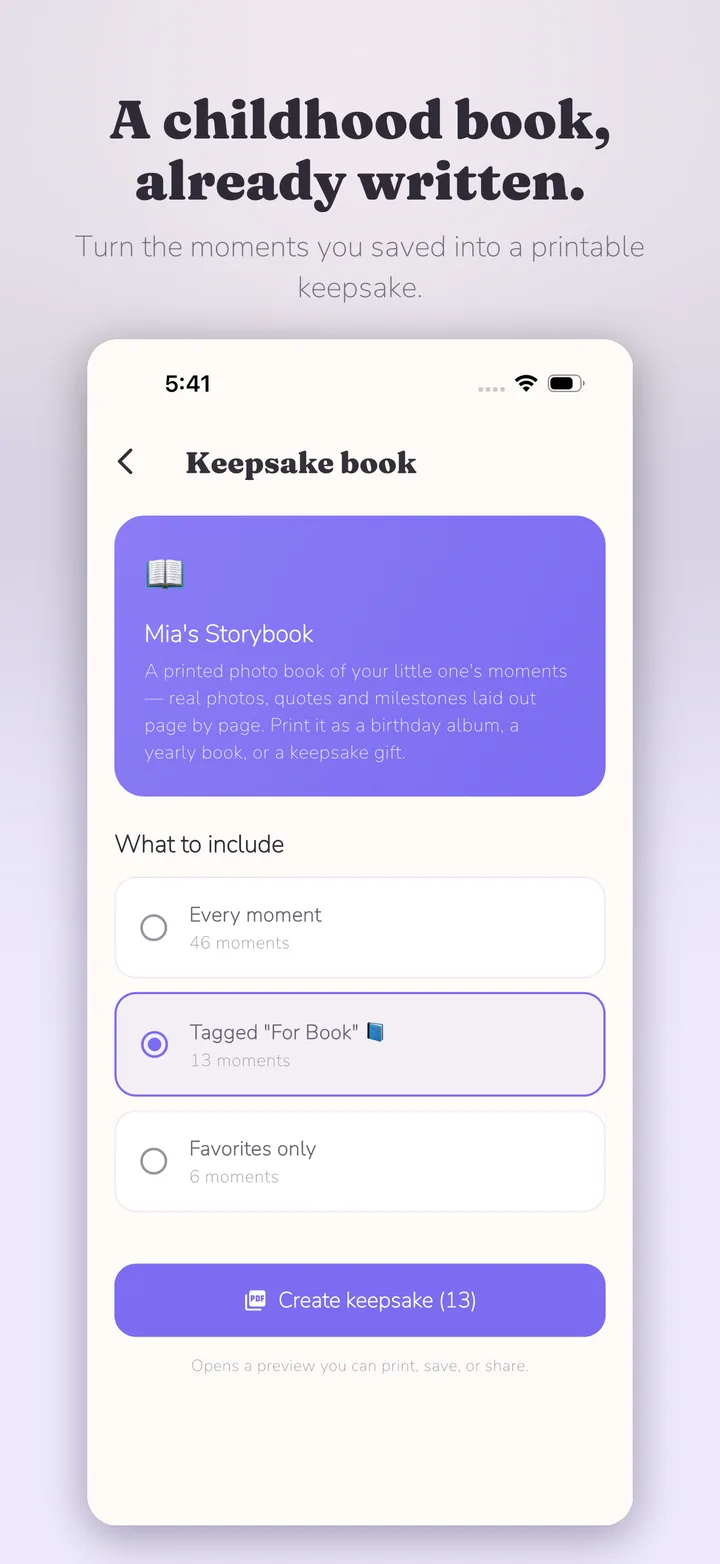
A hybrid workflow adds printing costs but lets you decide what to print and when. Kiddings can turn selected memories into a print-ready PDF; parents choose the printer. Kiddings does not order or ship the book. This may offer more control over format, quantity, timing, and potentially cost, but price and quality depend on the provider, region, specifications, and shipping.
Compare the whole process, not only the starting price. A cheap blank book you never fill is not automatically better value than a system you use. An ongoing digital fee may not suit a family that wants one physical volume.
8. What changes when you have more than one child?
Separate paper books create clear keepsakes, but maintaining several can make a shared family event feel like quarterly reporting. Digital systems may reduce duplicate effort when they support child profiles, combined and individual timelines, and filters. Check how entries are assigned; do not assume one story can attach to several children unless stated. A practical middle ground is one family record plus occasional child-specific curation. Fairness means meaningful coverage, not identical entry counts.
Two fictional examples
These examples are invented to show how the decision can work; they are not customer stories.
The parent who is three years behind
Priya has a beautiful nearly empty baby book and several thousand photos. Fixed “month one” pages make catching up feel impossible. She starts digitally with ten remembered stories, adds their approximate dates, and builds forward. Later, she turns a selection into a printed volume instead of trying to complete every abandoned prompt.
Likely fit: digital reconstruction, followed by optional print.
The parent who loves paper
Alex enjoys handwriting and saves drawings. A phone note catches exact phrases until the weekend, when favorites move into a scrapbook.
Likely fit: paper first, with temporary digital capture.
A simple decision guide
Choose a digital baby book if you want to capture anywhere, backdate or edit entries, search by child or time, share selected memories remotely, or keep video and voice with the written context.
Choose a paper baby book if handwriting and mementos are central, you enjoy a sit-down ritual, you want no account or device, you prefer browsing to searching, or the object matters as much as its information.
Choose a hybrid approach if you want quick capture and a tangible book, prefer editing before printing, value playable media and a screen-free keepsake, or have different format preferences within the family.
If unsure, try each method for two weeks. Record one quote, question, ordinary moment, and milestone. Notice which system you open and whether you can retrieve the entry. Your behavior is better evidence than your stationery ambitions.
A hybrid workflow that stays manageable
Hybrid does not have to mean doing every task twice. Separate capture from curation:
- Capture digitally. Save the exact words, setting, age, and useful context.
- Add media selectively. One good photo often beats twelve similar ones.
- Mark favorites. Avoid making every decision on print day.
- Review periodically. Monthly, seasonally, or annually is fine.
- Select for variety. Include language, routines, questions, changes, and milestones.
- Export and check. Review names, dates, image quality, and page order.
- Choose a printer and format. Compare proofs; costs and results vary.
- Add a physical touch. A handwritten introduction or drawing makes the book more than a backup.
For a fuller curation process, see how to turn family memories into a keepsake book.
How Kiddings approaches the choice
Kiddings organizes Quotes, Questions, Moments, and Milestones with child and age context. Parents can backdate and find entries using timelines, search, filters, favorites, and tags.
Selected memories can become a print-ready PDF for printing with a provider you choose. That makes Kiddings one bridge between digital capture and paper—not a reason to abandon handwriting or scrapbooks.
Frequently asked questions
Is a digital baby book safer than a paper baby book?
Not automatically. Paper can be lost, damaged, or fade. Digital records depend on access, exports, and backups. Keep a second copy separately when possible.
Can I switch from a paper baby book to digital?
Yes. Start digital entries today and gradually add older highlights. You need not transcribe every paper page. Photograph or scan selected pages if you want a reference copy.
What if my baby book is already years behind?
Begin with memories you recall clearly. Use photos, messages, and calendars as prompts, but label uncertain dates honestly. Five detailed stories are more useful than fifty guesses.
Can a digital baby book become a physical book?
It depends. Some tools offer printing; others provide exports. Kiddings creates a print-ready PDF from selected memories for a printer you choose; it does not print or ship the book.
Which format works better for multiple children?
Digital can make it easier to maintain profiles, search, and view combined or individual timelines, depending on the tool. Separate paper books create clear personal keepsakes. A family timeline plus individual printed selections can offer a practical middle ground.
The format is not the memory
Paper gives you an object. Digital gives you speed, flexibility, and retrieval. Hybrid gives you both, unless you turn it into two full-time systems. Choose the format that removes the biggest obstacle between “I want to remember this” and “I recorded it.”
If that means a handwritten page, use the good pen. If it means a quick digital entry while waiting outside swimming lessons, that counts too. The story does not mind where you put it. It only needs you to put it somewhere.

Start with one moment today.
Kiddings is a private, ad-free storybook for your child’s words and little moments.