App Comparisons
FamilyAlbum alternative: FamilyAlbum vs Kiddings for childhood memories
Compare FamilyAlbum and Kiddings for private sharing, photo storage, story capture, organization, keepsakes and current pricing.
Unlimited family photos or a searchable record of the stories?
By Kiddings • Facts checked September 18, 2026
Disclosure: This comparison was written by Kiddings. We used public official product pages and app listings checked September 18, 2026. We do not receive a commission for discussing FamilyAlbum. Features and prices may change.
Methodology: We compared official public information about media capture, family access, organization, keepsake output, and advertised pricing. We did not use private accounts, paid plans, sponsored placements, or invented keyword-volume data.
FamilyAlbum solves a clear problem: family photos are everywhere, relatives want to see them, and the group chat has become an archaeological site.
Kiddings solves a neighboring problem: the photos survive, but the story behind them does not.
Both products keep family memories outside a public social feed. FamilyAlbum is a generous, photo-led private sharing service. Kiddings is a structured childhood-story journal built around four first-class entries—Quotes, Questions, Moments, and Milestones—with media supporting the account rather than replacing it.
The short answer
Choose FamilyAlbum if you want unlimited photo and video storage in the free tier, simple invited-family sharing, automatic month-based organization, comments, 1s Movies, and integrated print products.
Choose Kiddings if you want to preserve words and context—not just a visual stream—and keep each story connected to the right child, exact age, and date. Entry types, combined and per-child timelines, search, filters, favorites, and tags make those stories easier to retrieve and curate.
This is the difference between keeping 43 photos from the beach and keeping the one sentence explaining why your child spent the entire afternoon addressing a bucket as “Captain.” Both are legitimate records. They are not the same record.
What this comparison covers
- How the products differ
- Where FamilyAlbum is strongest
- Where Kiddings differs
- Feature comparison
- Pricing
- Which one to choose
- Frequently asked questions
How the products differ
FamilyAlbum is designed to upload, organize, and privately share family photos and videos. The official site says uploads are automatically sorted by month, invited relatives can comment and react, and the free plan includes unlimited storage.
Kiddings is organized around individual childhood stories. A parent records a Quote, Question, Moment, or Milestone and chooses the child. Kiddings can backdate the entry, show the child's exact age, and attach a photo, video, or voice note when it adds useful evidence or atmosphere.
FamilyAlbum reduces photo-sharing friction. Kiddings reduces context loss.
Where FamilyAlbum is strongest
FamilyAlbum's free storage offer is unusually clear: its official site states there are no storage limits for family photo and video uploads. That is a strong fit for families whose main need is a private visual archive shared with invited relatives.
Its official feature set also includes:
- Month-based automatic organization
- Comments, reactions, and view indicators
- Invite-only family access
- Seasonal 1s Movies, with more frequent movie features on paid plans
- Eleven free photo prints per album member each month, with shipping charged
- Suggested and customizable photobooks
- Optional desktop uploads through Premium
FamilyAlbum's value is breadth and ease. Uploading does not require deciding whether something is a Moment, a Milestone, or merely evidence that breakfast happened on the stairs again.
Where Kiddings differs
Kiddings asks for slightly more intent and gives more narrative structure in return. The four story types keep exact words, curiosities, everyday scenes, and landmark events distinct. Each is tied to the child and exact age. Search, filters, and tags help retrieve an idea even when you cannot remember the month; favorites and “For Book” curation narrow a large archive into a smaller keepsake selection.
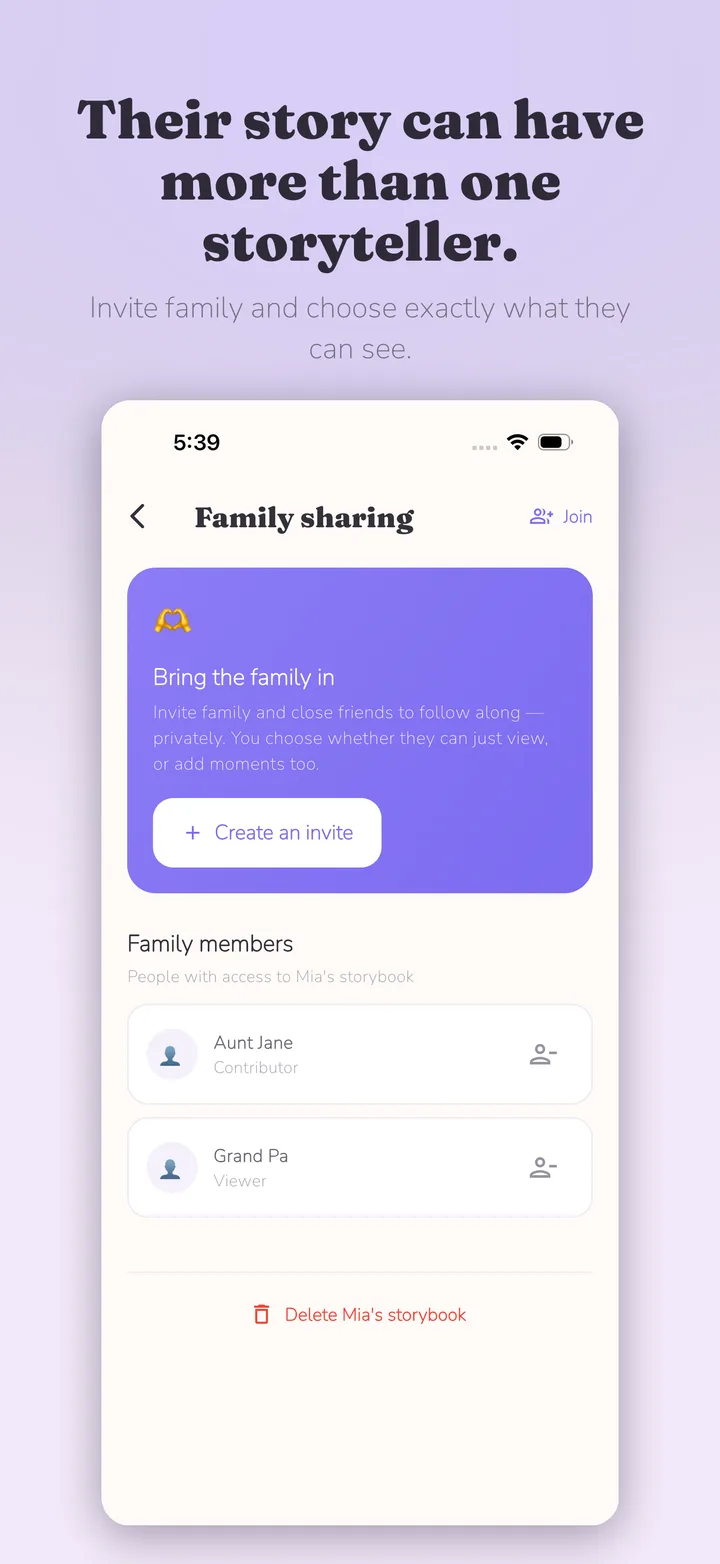
Multiple child profiles can appear in combined or per-child timelines, and older stories can be backdated. Parents can invite selected relatives as viewers or contributors; those relatives see only entries explicitly marked Fam. Kiddings is private by default, has no public feed, and is currently free and ad-free.
Its output is a print-ready PDF rather than an integrated catalog of physical photo products. Parents select the memories, download the PDF, and can use an online printer or neighborhood print shop. This offers control over printer, paper, format, quantity, and timing and may affect cost, but it is not always cheaper: price and quality vary by printer, region, paper, format, binding, and shipping. Kiddings does not place or ship the order.
FamilyAlbum vs Kiddings feature comparison
| Decision point | FamilyAlbum | Kiddings |
|---|---|---|
| Main purpose | Private family photo/video sharing and storage | Structured childhood stories through Quotes, Questions, Moments, and Milestones |
| Free storage | Officially described as unlimited | No unlimited-storage claim |
| Organization | Automatically sorted by month | Child and exact-age context, backdating, entry type, combined/per-child views, search, filters, favorites, and tags |
| Family interaction | Comments, reactions, and view indicators | Invite selected members as viewers or contributors; they see only entries marked Fam |
| Supporting media | Photos and video lead the record | Photos, video, or voice can support a written story |
| Automated recaps | 1s Movies | Not a verified feature |
| Keepsake output | Prints and photobooks sold through the service | Selected memories exported as a print-ready PDF for a printer the parent chooses |
| Current app price | Free core plus optional Premium tiers | Free and ad-free |
FamilyAlbum details come from its official product page, 2026 pricing explainer, and photo prints page.
Pricing checked September 18, 2026
FamilyAlbum's core app was free. Its official 2026 help information listed US pricing as:
- Premium One: US$2.99 per month
- Premium Family: US$5.99 per month or US$59 per year
- Premium Family Pro: US$10.99 per month or US$109 per year
Features vary by tier. Physical prints, photobooks, and shipping are separate considerations. The official prints page stated that each member can order eleven free prints per month, with US shipping listed at US$3.99 for prints when checked.
Prices, taxes, shipping, product availability, and plan names can vary by country and store. Confirm the applicable screen in your region.
Kiddings was free and ad-free, with a print-ready PDF rather than an integrated print-and-ship store.
Which one should you choose?
Choose FamilyAlbum if
- You have a high volume of photos and videos to share.
- Unlimited free storage is a deciding factor.
- Relatives enjoy comments and reactions.
- Automatic month organization and 1s Movies appeal to you.
- You want integrated prints and photobooks.
Choose Kiddings if
- Quotes, Questions, Moments, and Milestones should remain distinct stories.
- You want to search, filter, tag, or favorite by meaning, not only browse by month.
- The relevant child, exact age, and original date are important.
- You want a smaller, intentionally curated record.
- You want to curate a PDF keepsake and choose the printer, paper, format, quantity, and timing.
Who should not switch
Do not leave FamilyAlbum if it is functioning as the shared visual home your relatives actually use. Unlimited photo storage and an established family audience are substantial benefits.
Do not move to FamilyAlbum expecting it to replace every structured story field, searchable tag, or voice note in Kiddings. A month of photographs can show what happened. It may not preserve what anyone said.
Kiddings does not claim an automatic FamilyAlbum import. Keep originals, inspect download options, and test any migration before deleting or cancelling anything.
Frequently asked questions
Is Kiddings a FamilyAlbum alternative?
Yes, if your goal is private childhood memory keeping. It is less of a mass photo-storage service and more of a structured story journal.
Is FamilyAlbum really free?
FamilyAlbum says its core service includes free unlimited photo and video storage. Optional Premium plans and physical products cost extra, and shipping charges may apply.
Which is better for grandparents?
FamilyAlbum is strong for frequent photo updates, comments, and reactions. Kiddings lets parents invite selected relatives as viewers or contributors while limiting their access to entries marked Fam, which may suit a family that wants help preserving selected stories without exposing the full journal.
Which is better for recording funny things children say?
Kiddings has a dedicated Quote entry type and can attach the child's age and related media. FamilyAlbum captions can hold text, but quote-led memory keeping is not its main public positioning.
Can Kiddings store all my photos without limits?
Kiddings does not make an unlimited-storage claim. Families needing a complete high-volume media backup should maintain an appropriate original-file backup regardless of which memory app they use.
Choose the archive you actually need
If you need every family member to see every good photo, FamilyAlbum is purpose-built for the job.
If you need your future self to understand why one photo mattered, Kiddings may be the better home for that selected story.
You can download Kiddings and save the first memory that needs a sentence, not another album. Then see how to start a childhood memory journal or how to turn family memories into a keepsake book.

Start with one moment today.
Kiddings is a private, ad-free storybook for your child’s words and little moments.