Parenting & memory keeping
Best app for recording things your kids say: 7 simple ways to save the quotes you never want to forget
Compare Kiddings, Google Keep, Google Docs, Apple Notes, Qeepsake, Day One, and WhatsApp for saving the funny things children say.
Why children’s words are so easy to lose
Kids say things you are certain you will remember forever. Then the day moves on, dinner happens, and somehow the exact sentence disappears.
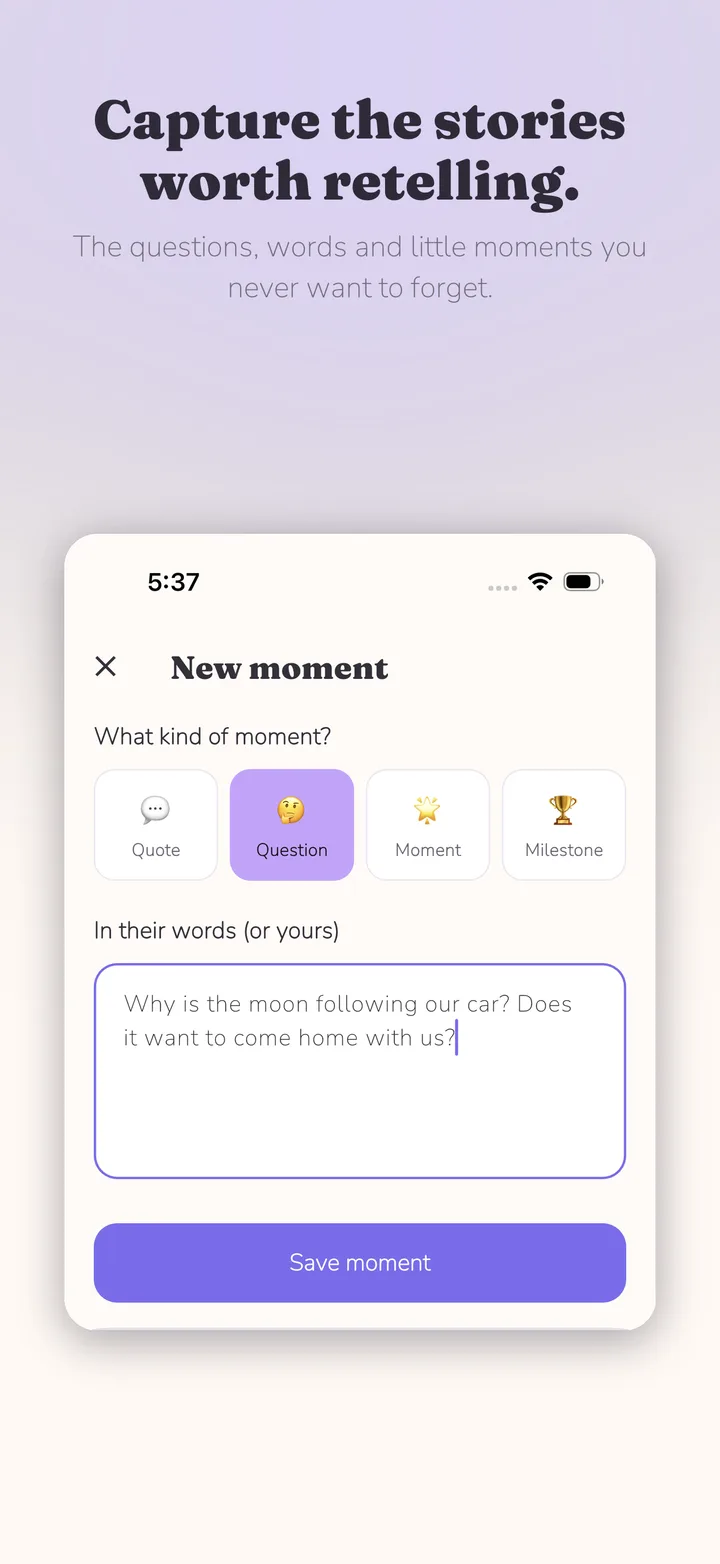
It might be a serious question from your four-year-old: “Why is the moon following our car? Does it want to come home with us?” Or a strange pronunciation, an unexpected theory, or something profound from the back seat. Photos are easy to preserve. The things our children actually say are much easier to lose.
That is why a dedicated place for funny quotes, questions, conversations, and everyday childhood moments can help. You do not need a complicated baby-book system—just a way to capture the words before they vanish.
1. Kiddings — best for the story behind the photo
Kiddings is built for remembering what childhood was actually like, not just what it looked like. You can save funny quotes, questions, everyday stories, milestones, personality observations, photos, videos, and voice memories.
Each memory becomes a moment in your child’s timeline, even when there is no photograph attached. Memories are organised around the child and their age, so you build a record of their childhood instead of a giant notes file.
Kiddings also supports multiple children, backdated memories, favourites, tags, photos, video, and voice. It is not trying to replace your camera roll—Google Photos is excellent at storing photographs. Kiddings is for the story behind them.
2. Google Keep — best free option for quick quotes
Google Keep is one of the easiest ways to start because you may already have it. Create a note called “Things My Kids Say,” then add a line whenever something memorable happens. Labels such as Funny quotes, Questions, Firsts, or Age 5 make it easier to search later.
Keep is a good fit if you want something free, familiar, and fast. The trade-off is that it remains a general notes app: childhood memories sit alongside grocery lists and work notes, and you create the organisation system yourself.
3. Google Docs — best for longer memories
A single Google Doc for each child works beautifully if you naturally enjoy writing. Add dated entries such as “14 August 2026 — Age 5,” then write a sentence or a full story underneath. Everything stays flexible and backed up in Google Drive.
The flexibility can also add friction. Nothing prompts you what to capture, organises memories around your child’s age, or makes a tiny quote feel quick to save. For longer reflections it is excellent; for a sentence you need to catch before bedtime, the extra steps can matter.
4. Apple Notes — best for zero setup on iPhone
If your family uses iPhone, Apple Notes is already in your pocket. Create a folder for each child or a note called “Funny things Isla says,” and add the date with every quote.
It is convenient and perfectly good for occasional memories. Like Google Keep, though, you are building the system yourself. Notes stores information; it does not turn that information into a childhood journal.
5. Qeepsake — best if prompts keep you journaling
Qeepsake takes a prompt-led approach. Instead of waiting for a memorable sentence to arrive, curated questions encourage parents to reflect and add spontaneous memories, photos, and videos. It can be a strong fit if regular prompts help you remember to write.
Some parents prefer that baby-book rhythm. Others mainly want an open-ended place to record spontaneous quotes as they happen. The best choice depends on whether prompts feel helpful or like another notification to answer.
6. Day One — best general-purpose journal
Day One is a powerful dedicated journal for parents who also want to write about travel, work, or their wider life. Photos, video, audio, dictation, tags, favourites, search, and “On This Day” resurfacing make it a capable home for multimedia memories.
The trade-off is that Day One is not designed specifically around children. You create the structure for each child, their age, and the kind of moments you want to preserve.
7. WhatsApp to yourself — best for building the habit
The least sophisticated option can be surprisingly effective: send yourself a WhatsApp message the instant something funny happens. It solves the most important problem—capture—because the best journal is useless if you never put anything into it.
Use it as an inbox, then periodically move favourite messages into a permanent journal. Five years of WhatsApp messages are not much of a memory book, but they can be a very good starting point.
Which is the best app for recording things your kids say?
There is no single answer for every parent. Choose Google Keep for free, quick notes; Google Docs for long-form writing; Apple Notes for the simplest iPhone setup; Qeepsake for regular prompts; Day One for a powerful general journal; and WhatsApp for the fastest possible capture habit.
If you want a dedicated journal for quotes, questions, stories, multiple children, and the context around photos, Kiddings was built specifically for that. If you already have a system you consistently use, keep using it. A real Google Doc is infinitely better than an elaborate app you abandon after three weeks.
A simple system that actually works
Do not try to document everything. When something makes you think, “I want to remember that,” save it immediately. One sentence is enough. Do not polish it, wait until tonight, or turn it into a scrapbook page.
Record what they said and, if needed, one sentence of context. For example: Age 5, looking at the moon through the car window: “Why is the moon following our car? Does it want to come home with us?” Twenty seconds today could give you something you still enjoy reading twenty years from now.
Frequently asked questions
Is there an app for keeping track of funny things my child says? Yes. Kiddings is made for quotes, questions, and everyday memories alongside photos, video, and voice. Google Keep, Apple Notes, and Day One can also work well.
What should I record besides funny quotes? Try questions, unusual theories, mispronounced words, current obsessions, friendships, bedtime conversations, family rituals, acts of kindness, and things they are proud of. Save the ones that make you smile.
How do I organise quotes from multiple children? Keep a separate journal or profile for each child. Kiddings has multi-child support, while general note and journal apps use separate labels, folders, or journals.
The best memory system is the one you keep using
There is no shortage of technology for storing photographs. What is surprisingly difficult to preserve is personality: the funny sentence, the strange question, the phase that lasted six months, and the way your child understood the world before they understood it properly.
Whether you use Google Keep, a Google Doc, Qeepsake, Day One, WhatsApp, or Kiddings matters less than developing the habit of recording the words. But if you want a private parenting journal designed for the moments worth retelling—not merely the photos worth keeping—Kiddings is here for exactly that.

Start with one moment today.
Kiddings is a private, ad-free storybook for your child’s words and little moments.